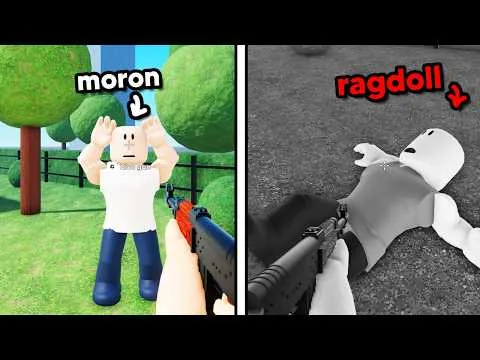
Use this when you are opening Ragdoll Physics for the first time and want one clear result, not a tour of every menu.
Before you spawn
Open the main place and check that the creator is This iss Gud. Place id 121868512253414 is the experience this guide covers. The listing is Simulation / Physics Sim, maturity is mild blood (heavy or unrealistic) and repeated mild violence, and voice chat and camera are marked unsupported.
The main server size is 1. If you wanted friends in the same server, stop and read the multiplayer place instead of waiting for a second player to fit.
First test
- Join the main place. You should be able to see ragdolls or a test space. The description does not name a required tutorial.
- On PC, hold Ctrl to free the mouse so you can use the interface. Movement and camera still follow the Roblox prompts on your screen.
- Open the menu. Recorded sessions show Weapons, Sandbox, Maps and Scenarios. Choose one map and leave it alone for this run.
- Select one named free item: dart, spear, grenade, one of the two guns, brick, or gold stick. The description does not name the two guns separately.
- Aim and use the tool. In recorded footage a message at the top left named the body part or artery that was hit. Write that word down if you see it. Do not convert it into a damage number.
- Repeat the same item from the same spot once. A second try shows whether the first reaction was a miss.
You are done when you can say what the ragdoll did: moved, turned, fell, left the spot, or barely changed. That is the whole first session.
What to skip on purpose
K is the Sandbox entry in the recorded PC session, and that prompt asked for Robux. You do not need it to use the named free set. There is also no confirmed code to redeem. The codes check explains why lists from other ragdoll games do not belong here.
If the menu does nothing
Click the game view so Roblox has focus, then hold Ctrl again. If the scene has no target, open Maps and pick Playground or Shooting Range rather than assuming the item is broken. If a key on your device does not match Ctrl, K or F, follow the prompt on screen. Touch and controller layouts were not captured.
Next, compare a second item with the clean experiment steps, or open the equipment list to see which names are official and which are only from footage.